← All guides4Always on

Run every client
from one workspace

4 min readUses Team seats

The short version

  1. 1Name every event so a new colleague could find it. Use client, then event, then date every time, with no in-jokes.
  2. 2Give each person the access their job needs. Most of the team doesn’t need to be an admin.
  3. 3Keep the work in the workspace when people leave. Team members come and go, and their events and audience contacts stay put.

Five habits for a calm agency

1Step 1 of 5

Name everything like you’re handing it over tomorrow

With several clients in one workspace, names do the filing. Pick one pattern and stick to it: client, then event, then date. "Northwind / Shoreditch pop-up / 2026-06-14" is boring and easy to find. "Fun Friday v2 FINAL" isn’t.

Putting the client first keeps each client’s events together, and dates written year, month, day sort in order on their own. Write the pattern down where everyone sees it and rename any events that don’t fit every Friday.
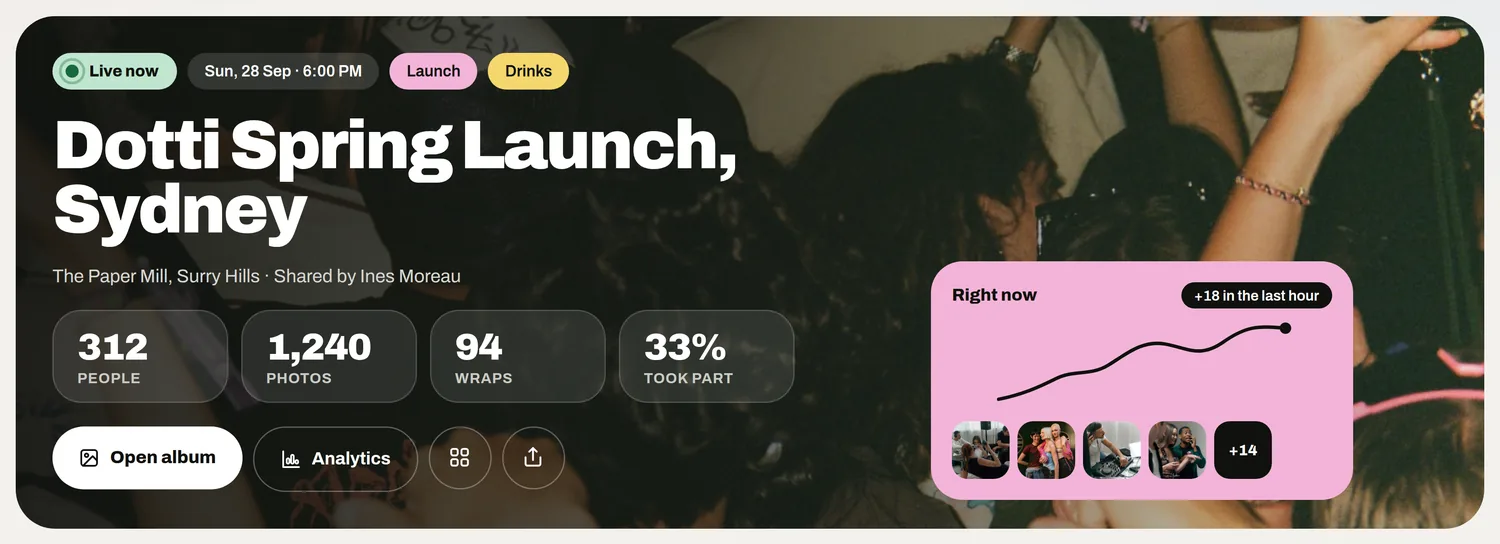
The live event card with its people, photos and the open album button
2Step 2 of 5

Set roles before the first brief

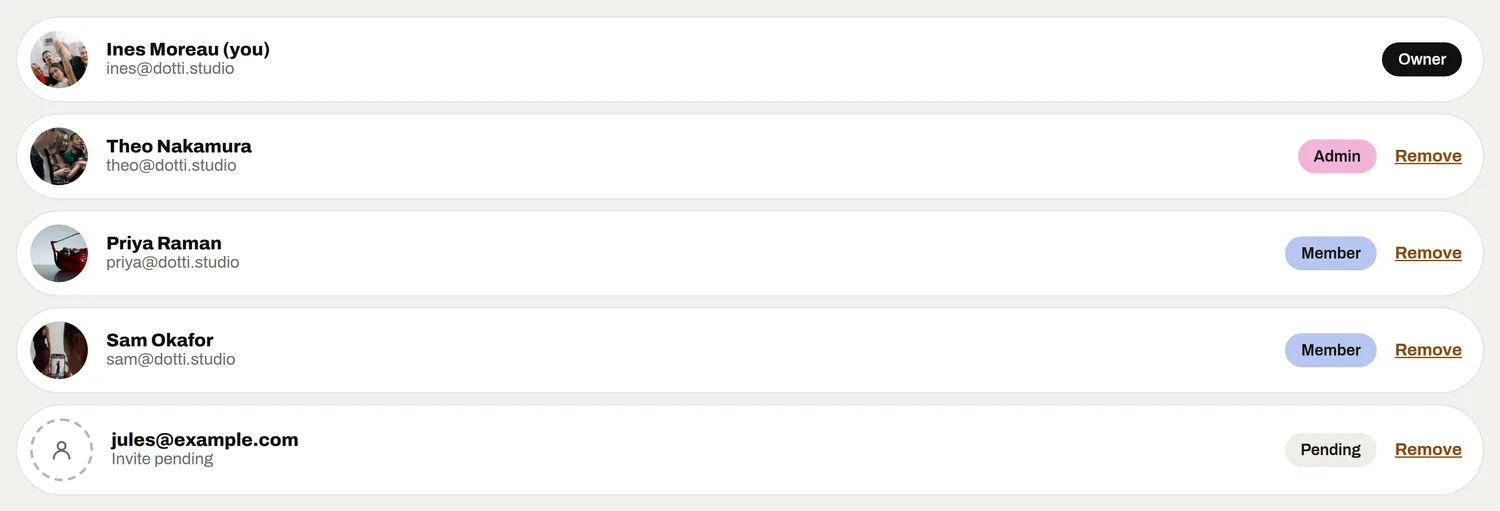
Everyone gets their own login, never a shared one. The owner holds the workspace, admins look after branding and invites, and members run events and read the reports.

Keep the owner and admin list short. Then write down who looks after social, leads and the debrief on each account, so every client question has someone to answer it.

The team list, each person with their own role
3Step 3 of 5

Invite clients on purpose

Client seats let a client log in and see their work with you. Before each invite, decide whether they need a login to follow their events or only the debrief at the end.

Agree in the contract who owns the contacts collected at each event. Then invite the named person who’ll read the numbers, rather than a shared inbox.

4Step 4 of 5

Make the debrief the handover

Clients remember the report. Every event’s debrief can be shared as a PDF, so Monday’s report is a file you send and nobody spends the weekend building slides.

Use the same structure for every client so they learn to read it. With every debrief in one workspace, the account lead can compare this event with the last one before the review call.

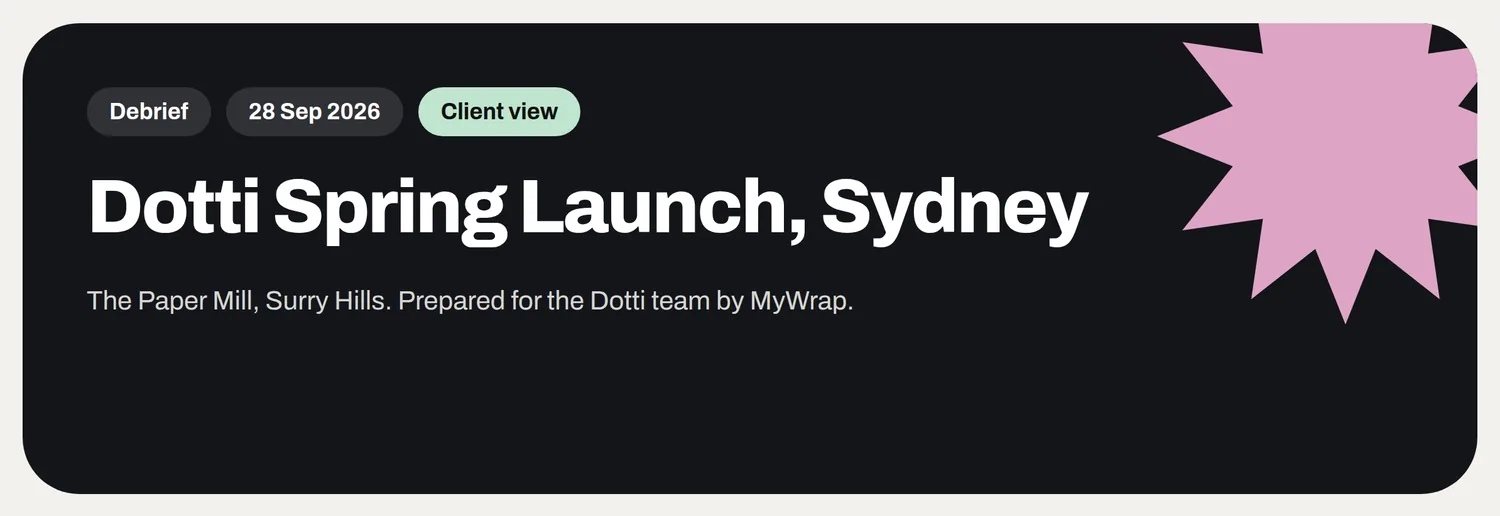
The debrief cover for Dotti Spring Launch, Sydney, prepared for the Dotti team
The debrief is the handover: one page the client keeps.
5Step 5 of 5

Offboard people without losing a thing

Every event belongs to the organisation. When a producer moves on, remove their seat and everything they built stays put.

Remove a client’s seat too when your contact there changes jobs. Put seat removal on every leaving checklist, next to returning the laptop.

Your take

Three quick ones. Tap an answer to see how everyone else replied. We read every answer, it shapes what we build next.

1 of 3

How many clients’ events does your team juggle at once?

2 of 3

Be honest: how are your event files named?

3 of 3

What hurts most when running events for several clients?

What you wish this guide covered, what drives you mad about event photos, anything. Read by the people building MyWrap.

Steal this

A naming rule, an invite and a leaving list for your team wiki.

The naming rule

“Every event is named: Client / Event / YYYY-MM-DD. Example: Acme / Spring launch / 2026-04-18. No "final", no "v2", no nicknames.”

Inviting a client

“Hi [name], I’ve added you to our workspace so you can follow [event] as it happens. The login is yours alone. The full debrief comes as a PDF on [day].”

The leaving checklist

“1. Hand their live events to a named teammate. 2. Remove their seat. 3. Check any client seats they managed. 4. Tell the client who their new contact is.”

Fair questions

What is event agency software?

Software that lets an agency run events for several clients from one place, with the right access for each person and a report the client keeps. The real test is whether a client’s work survives your team changing.

Can an agency run several clients from one workspace?

Yes. A firm naming pattern of client, then event, then date keeps the workspace tidy as your client list grows.

Can clients log in to see their events?

Yes, with a client seat. Decide what they need to see first, and agree who owns the contacts from their events.

What happens when a producer leaves?

Nothing is lost. Every event belongs to the organisation, so their work stays in the workspace when you remove their seat.

What’s the difference between owners, admins and members?

The owner holds the workspace. Admins look after branding and invite people. Members run events and read the reports. Give each person the smallest role that does the job.

Next up

See all guides