← All guides3After

Follow up within 48 hours
while guests still care

4 min readUses Follow-up drafts

The short version

  1. 1Before the event, book an hour in the calendar for follow ups. Follow ups that aren't booked slide to next week.
  2. 2Your standout guests get a personal note. Everyone else who opted in gets one good group thank you.
  3. 3Make one ask per email. Give people four buttons and they'll press none.

Five moves in two days

1Step 1 of 5

Before the event, book an hour for follow ups

Follow ups get lost between "we should send something" and actually sending it. Put a one hour block in the calendar for the morning after, with someone's name on it.

Within 48 hours, people are still talking about the event. For a conference that runs a few days, start the clock when it ends, so people have a day to get home.

2Step 2 of 5

Sort guests into three groups

First, your standouts. MyWrap flags the guests who added the most photos, got the most reactions or gave the best answers. They're the most likely to come back and bring friends.

Second, everyone who opted in, who get one warm group note. Third, sponsors and partners, who get their own email. Anyone who didn't opt in gets no marketing email, but they still have the album.

Guests grouped as new, active, regular and lapsed
Guests listed by what they did, so the piles make themselves.
3Step 3 of 5

Build the email around their photo

For each standout guest, MyWrap drafts a note in your voice with their best shot attached. The photo shows you noticed them, and it's what they'll want to open.

Read each draft and add one line only you could write, like something they said or the friend they brought. Put the photo or their name in the subject line, like "The shot you took at the tasting bar".

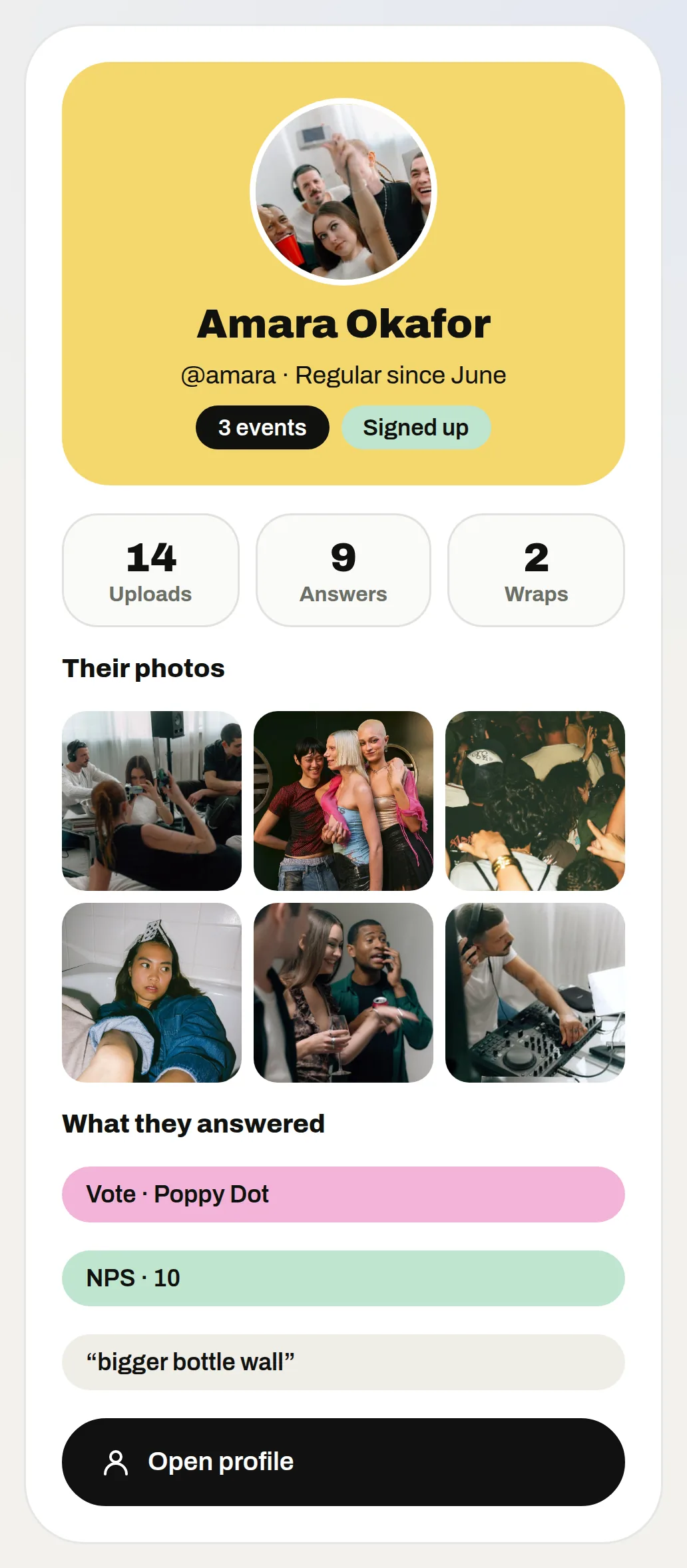
One guest’s profile with their photos and what they answered
4Step 4 of 5

Give every email one ask

Pick the one next thing you want, like saving the next date or answering a question, and make it the last line. Standouts can get a bigger ask, like an early invite to the next event.

If you catch yourself adding a second link, save it for an email next week.

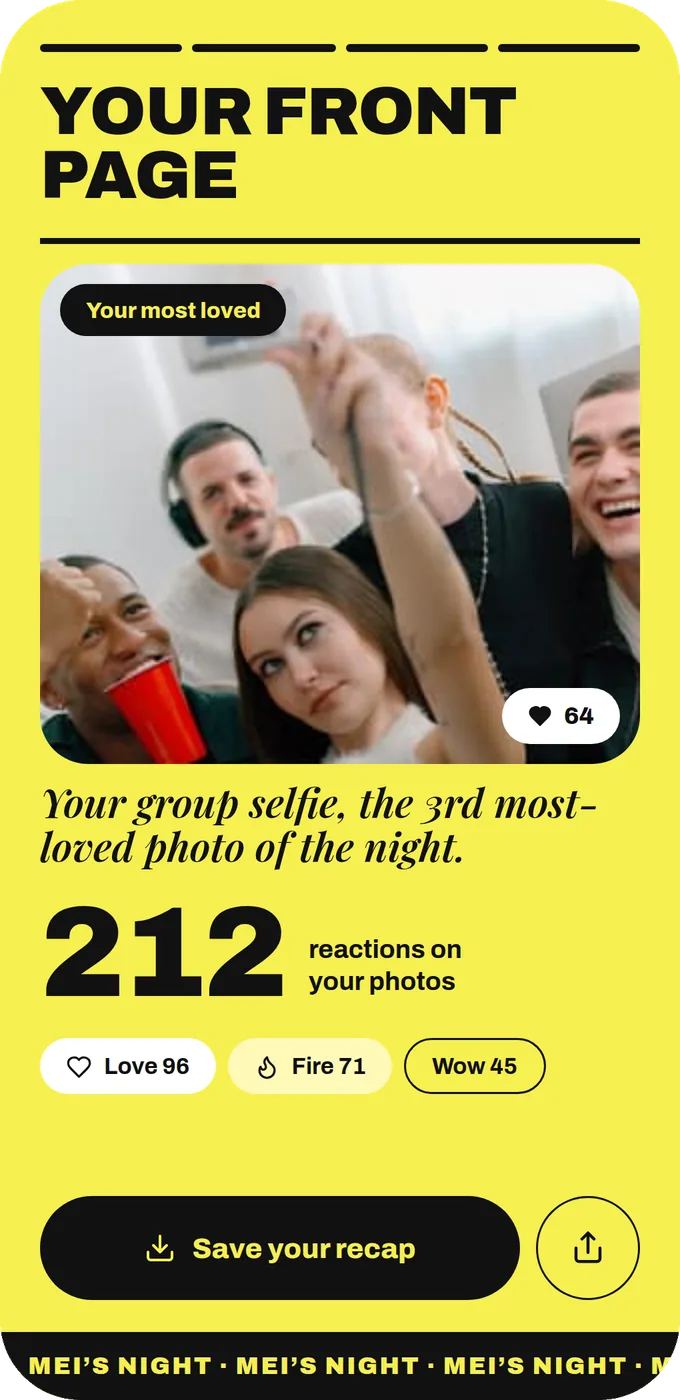
The last slide of Mei’s personal recap: her most loved photo and the reactions on her photos
Their best photo is the best thing you can point a follow-up at.
5Step 5 of 5

Send it from your own inbox

Copy each draft into your email and send it from a real person's address. MyWrap doesn't send follow ups for you, and a note from a real name gets read far more than a no reply one.

If your opt ins sync to Klaviyo or HubSpot, send the group thank you from there. On day two, answer every reply the same day, since those guests are your warmest leads.

Your take

Three quick ones. Tap an answer to see how everyone else replied. We read every answer, it shapes what we build next.

1 of 3

When does your post-event follow-up usually go out?

2 of 3

How personal are your follow-up emails?

3 of 3

What stops your follow-up going out on time?

What you wish this guide covered, what drives you mad about event photos, anything. Read by the people building MyWrap.

Steal this

Three emails to adapt. Swap the brackets and keep them short.

For a standout guest

“Hi [name], this photo you added from [event] is one of our favourites (attached). Thanks for filling the album! We're planning the next one for [month] and would love you there. Shall I save you a spot?”

For the group thank you

“Thanks for coming to [event]. Your photos are up here: [link]. Come find yourself and add anything we missed. Quick question: what should we keep for next time?”

For a sponsor

“Hi [name], thanks for backing [event]. The short version: [one result]. The full debrief follows by [day]. Could we grab 20 minutes to talk about the next one?”

Fair questions

When should you send a post-event follow-up email?

Within 24 to 48 hours. The morning after works for most evening events. For a conference, send it the day after it ends.

Does MyWrap send the follow-up emails?

No. MyWrap drafts a personal note for each standout guest with their best shot attached, and you send it from your own email.

What should the subject line say?

The event and what's inside, like "Your photos from the Hackney pop-up". Subjects that mention the guest's own photo get opened most.

Can I email everyone who scanned the QR?

Only the ones who opted in. Guests choose to leave an email or phone number, with consent saved.

Should I send a second follow-up?

Only if it has something new, like the next date or a survey result. Repeating the first one teaches people to ignore you.

Next up

See all guides