← All guides1Before

Event hashtags
people actually use

4 min readUses Social listening

The short version

  1. 1Pick one event hashtag. Make it short, easy to spell and yours.
  2. 2Search the hashtag before you print it. Someone else might already be using it.
  3. 3Track your brand's handles too. Most guests tag your account and forget the hashtag.

Five moves, from idea to tracked

1Step 1 of 5

Brainstorm from three formulas

Good event hashtags usually take one of three shapes: brand plus moment (#MaplewoodAfterDark), place plus verb (#DanceOnPier9), or a phrase people say anyway (#WorthTheQueue).

Write ten, then cross out anything over about 15 characters or with a number people might mistype. If your brand already has a hashtag people use, keep that one.
Three shapes that tend to work.
2Step 2 of 5

Search it, read it, capitalise it

Search your finalists on the platforms your guests use. If one's busy with someone else's posts, drop it.

Then read it as one word, because some innocent tags turn rude without spaces. Print it with a capital letter on each word (#WorthTheQueue) so it reads properly, and leave the year out unless the event happens every year.

3Step 3 of 5

Put it where the photos happen

Nobody remembers the hashtag from the invite. Print it where people take photos, like the backdrop or the mirror, with your handles next to it. People tag accounts far more often than they type hashtags.

Say the hashtag once from the mic, along with the album QR code: "Post with #WorthTheQueue, and drop the originals in the album."

4Step 4 of 5

Set up social listening before the event

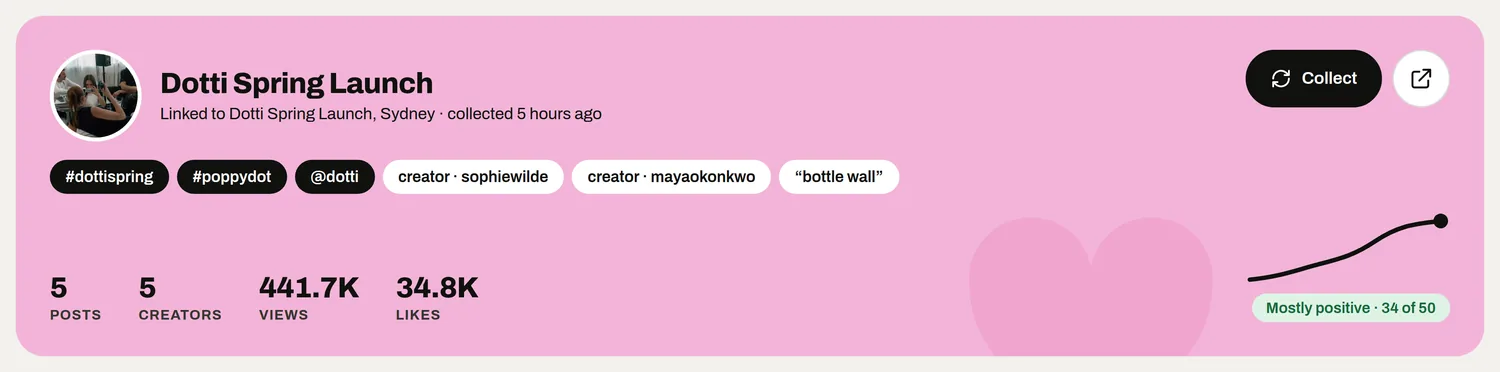
Set up tracking while you're printing signs, so the hashtag on the wall matches the one you track. Add the hashtag, your handles and invited creators, and track from the day before the event to a week after.

Social listening rounds up the posts and creators talking about your event, so you're not scrolling your phone in the taxi home.

The Dotti Spring Launch campaign with its hashtags, handles and creators
5Step 5 of 5

Catch the guests who never post

Most guests never post publicly. They keep great photos in their camera roll and send a few to a group chat, and a hashtag misses all of them.

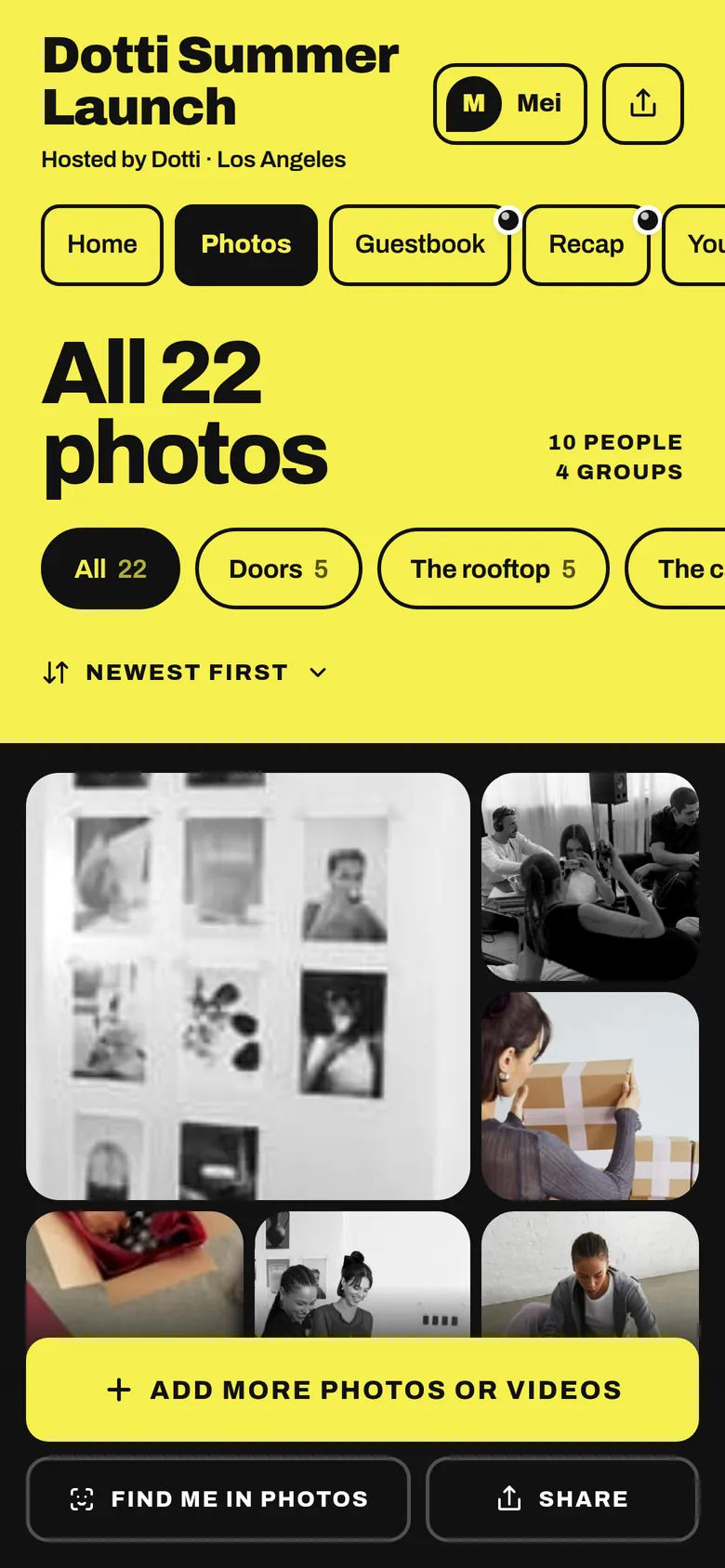
So give them a QR to the event album, where they add photos and videos with no app needed. You get the originals, and they find the photos your team took of them.

The album’s Photos tab: all 22 photos, filed in groups
The album catches the photos that never get a hashtag.

Your take

Three quick ones. Tap an answer to see how everyone else replied. We read every answer, it shapes what we build next.

1 of 3

How many guests actually use your event hashtag?

2 of 3

How do you find posts about your event afterwards?

3 of 3

What annoys you most about tracking event posts?

What you wish this guide covered, what drives you mad about event photos, anything. Read by the people building MyWrap.

Steal this

Ready lines for the photo wall sign, the mic and your creator brief.

For the photo-wall sign

“Post it with #WorthTheQueue and tag @yourbrand. Want the originals saved too? Scan to add them to the album.”

For the mic

“Posting about this? It's #WorthTheQueue. Not a poster? Scan the QR by the bar to find your photos in the album, and add yours too.”

For your creator brief

“Please use #WorthTheQueue and tag @yourbrand and @venue in any posts from the event. Posts from [date] to [date + 7 days] count.”

Fair questions

How do I come up with event hashtag ideas?

Try brand plus moment, place plus verb, or a phrase people say anyway. Keep it under about 15 characters and search it before you commit.

Should an event hashtag include the year?

Only for an annual event where you want each year's posts separate. Otherwise it makes the tag longer and easier to get wrong.

How many hashtags should an event have?

One. Two at most if your brand already has a hashtag people use. More than that splits the posts.

Do people still use event hashtags?

Less than they used to. Guests tag accounts more often, and many never post publicly. Track your handles too, and give everyone a QR to the event album.

What if another account is already using our hashtag?

Pick another. If it's busy with someone else's posts, yours will get buried.

Next up

See all guides