← All guides1Before

Set up your first event album
in 10 minutes

3 min readUses Content capture

The short version

  1. 1Give the album a name guests will recognise a week later. The event name and the date are usually enough.
  2. 2Decide what guest photos can be used for before the first upload. It takes two minutes now and saves chasing guests for permission later.
  3. 3Test the album on phones that aren't yours. Borrowed phones catch problems your own phone never will.

Ten minutes, five decisions

1Step 1 of 5

Minutes 0 to 2: give it a name guests will recognise

Use the event name and the date, like “Spring Launch, 14 May”. Guests should know what it is when it pops up in their browser history next week.

Add a two line description that says what the album is and what's in it for guests. Add your logo and brand colour if they're handy, or come back to it later.
2Step 2 of 5

Minutes 2 to 4: decide what the photos are for

Will the photos go in the recap only, on your socials or in an ad next spring? Each needs a different permission, and it's much easier to ask now than to chase 200 people later.

Guests see your content agreement before their first upload. Start from a template, from event only use to a full licence, or paste in your own. Pick the narrowest one that covers what you'll really do.

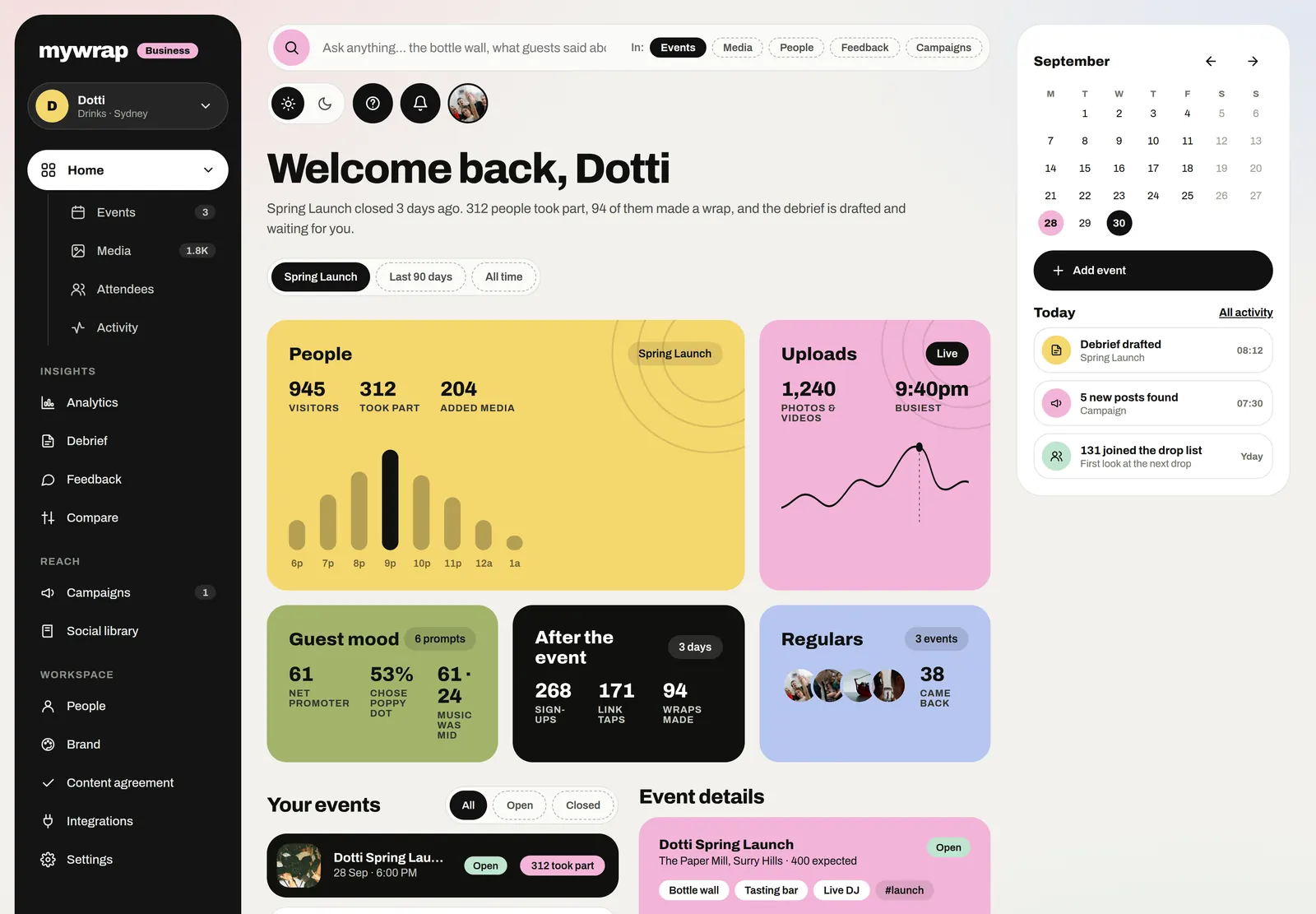
The workspace home with this week’s numbers and the brand’s events
Your workspace home, with the new album ready to share.
3Step 3 of 5

Minutes 4 to 6: give people one thing to shoot

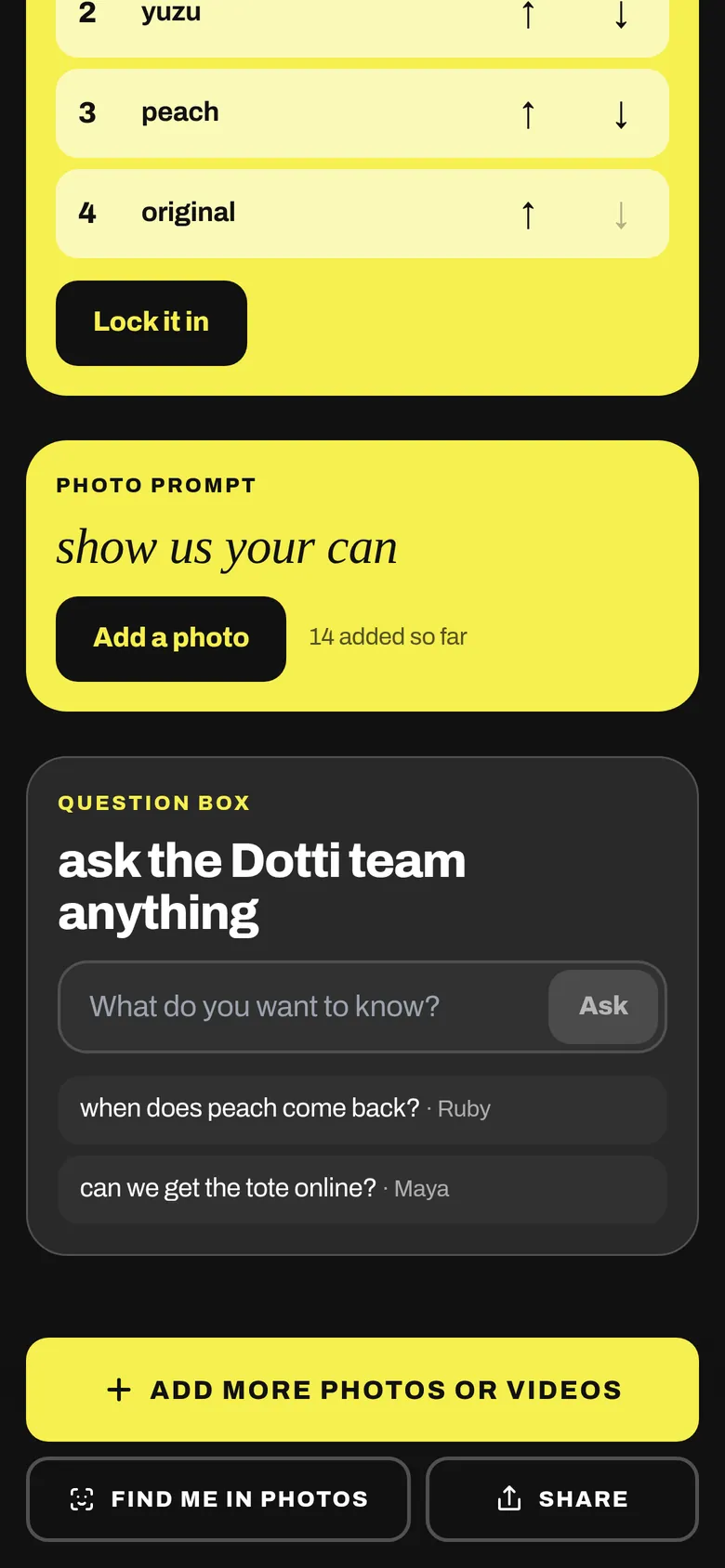
“Share your photos” is a blank page, and blank pages make people freeze. One specific idea gives them a job, like the best outfit or the crew you came with.

Pin that idea at the top of the album. You can swap it halfway through if it falls flat. Make it something fun to hunt for, like “the best view from the terrace”.

A photo prompt card in the album asking guests to show their can
4Step 4 of 5

Minutes 6 to 8: add a few photos first

Nobody wants to go first. Add three to five photos before anyone sees the album, like the setup, the venue or a team selfie.

If you've booked a photographer, plan for their shots of guests to go in during the event. Photos of people are what guests come looking for.

A long dinner table on a rooftop at golden hourThe setupGuests at tables under white umbrellas on a lawnThe venueHands clinking glasses over a tableA detail
Your own photos first, so nobody has to be first.
5Step 5 of 5

Minutes 8 to 10: test it on three phones that aren't yours

Ask three people with different phones, ideally an iPhone, an Android and an older one, to scan the QR. Watch without helping, because wherever they hesitate, guests will too.

Have each tester add a photo and a short video from their camera roll, with no app or account. If both show up in your album, you're done and can go get ready.

The Dotti Summer Launch album open in the browser, with one button to add photos or videos
What a guest sees after scanning: your album, open in their browser.

Your take

Three quick ones. Tap an answer to see how everyone else replied. We read every answer, it shapes what we build next.

1 of 3

How long does setting up for event photos usually take you?

2 of 3

Do you decide what guest photos can be used for before the event?

3 of 3

What worries you most about your first event album?

What you wish this guide covered, what drives you mad about event photos, anything. Read by the people building MyWrap.

Steal this

Three bits of copy for setup day. Swap in your details.

For the album description

“The shared album for everyone at [event name]. Find your photos from the day and add your own photos and videos. No app, no account.”

For the pinned photo idea

“First mission: show us the crew you came with. Bonus points if someone's laughing.”

For your three phone testers

“Quick favour! Can you scan this, add any photo and a short video, and tell me if anything was confusing? I owe you a drink.”

Fair questions

How do I make an event photo album guests will actually use?

Give it a clear name, one photo idea and a few starter photos, then put the QR code where people stand still. Guests open it in their browser with no app and no account.

Can guests add videos as well as photos?

Yes. Photos and short clips from their camera roll land in the same album.

Who owns the photos guests upload?

It depends on the content agreement you pick. Guests see it before their first upload, and you can choose a template or use your own wording.

How early should I set up the album?

At least a day before, so you can test it on other people's phones and print the QR. Setup takes about ten minutes.

How long should I keep the album open after the event?

About a week. Lots of guests only go through their camera roll a few days later.

Next up

See all guides